
Discord vs Slack for Communities: Which Is Better in 2026?
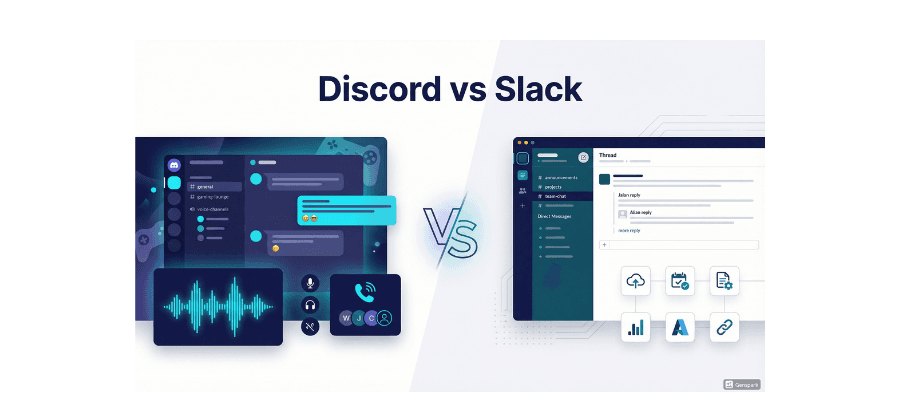
When it comes to building an online community in 2026, two platforms dominate the conversation: Discord and Slack. Both offer messaging, voice channels, and customizable workspaces — but they were built with very different audiences in mind. Discord vs Slack for communities is one of the most searched comparisons among community managers, marketers, and content creators today, and for good reason. The right choice can make or break how your audience engages, grows, and stays loyal over time.
Discord started as a gaming chat app and evolved into one of the world's largest community platforms with over 250 million registered users. Slack, on the other hand, was built from the ground up as a professional team communication tool, now serving over 70 million monthly active users. This guide breaks down every meaningful difference between the two platforms so you can choose the right home for your community.
Key Takeaways
• Discord is the clear winner for public communities: hobbyists, creators, gamers, and niche interest groups thrive on its free, open, voice-first structure.
• Slack dominates professional and business communities: teams needing deep integrations, compliance certifications, and structured workflows should choose Slack.
• Pricing is a decisive factor: Discord's core features are free forever; Slack's free plan limits message history to 90 days.
• Voice and real-time interaction: Discord's persistent voice channels are unmatched for live community hangouts.
• Enterprise security: Slack holds SOC 2, ISO 27001, and HIPAA certifications — Discord does not.
• Community discovery: Platforms like Waybien help users find the right Discord and Slack communities across the web.
What Is Discord? A Quick Overview
Discord is a free communication platform launched in 2015, originally designed for gamers. Today it functions as a full-scale community hub where users join "servers" organized around shared interests — from crypto investing and software development to book clubs and esports teams. With 19 million active servers every week and a culture built around real-time interaction, Discord has become the default platform for communities that value personality, voice, and spontaneity over formal workflows.
Feature | Discord Details |
Founded | 2015 |
Registered Users | 250+ million |
Active Servers / Week | 19 million |
Primary Audience | Gamers, creators, hobbyists, niche communities |
Core Strength | Voice channels, community culture, free tier |
Pricing | Free core features; Nitro from $2.99/month |
What Is Slack? A Quick Overview
Slack is a professional team communication platform founded in 2013 and acquired by Salesforce in 2021. It organizes communication inside "workspaces" built around projects, departments, or companies. Slack's real strength is its deep ecosystem of 2,600+ third-party integrations, including GitHub, Jira, Salesforce, Google Workspace, and Zoom. With over 70 million monthly users, it is the go-to internal communication tool for startups, agencies, and enterprises worldwide.
Feature | Slack Details |
Founded | 2013 (acquired by Salesforce 2021) |
Monthly Active Users | 70+ million |
Primary Audience | Businesses, remote teams, professional communities |
Core Strength | Integrations, threading, enterprise compliance |
Free Plan Limit | 90-day message history, 10 integrations |
Paid Plans | From $8.75/user/month (Pro) |
Discord vs Slack for Communities: Core Differences at a Glance
Before diving deep into each category, here is the side-by-side snapshot most community managers actually care about:
Category | Discord | Slack |
Primary Use Case | Public communities, casual interaction | Team communication, professional workflows |
Pricing (Free) | Unlimited features, unlimited history | 90-day history, 10 integrations |
Voice Channels | Persistent, always-on | Huddles only (paid feature advantage) |
Moderation Tools | Roles, bots, auto-mod | Workspace admin controls |
Integrations | Bots + limited 3rd party | 2,600+ integrations |
Security / Compliance | Standard encryption | SOC 2, ISO 27001, HIPAA |
Server/Workspace Limit | 100 free / 200 Nitro | Unlimited workspaces (paid) |
Community Discovery | Public server listings | Limited external discovery |
Best For | Hobby, gaming, creator communities | Business, professional communities |
Community Structure: Servers vs Workspaces
The most fundamental difference between Discord and Slack is how they organize people and conversations. This structural difference shapes the entire community experience — and it's often the deciding factor.
Discord Servers: Built for Culture
A Discord server is a community hub. It has no invitation requirement for public servers, making it easy for new members to discover and join. Inside each server, channels are divided into categories (like #announcements, #general, #off-topic, and #voice-lounge), and members can explore freely. This open architecture encourages organic discovery and participation, which is why Discord works so well for communities built on culture and shared passion rather than task completion.
Slack Workspaces: Built for Structure
A Slack workspace is a closed environment — you need an invitation to join. This works well for business teams where access control matters, but it creates friction for open communities trying to grow. Inside workspaces, channels are typically project- or function-focused, reinforcing accountability and task-driven communication. Slack Connect allows collaboration with up to 250 external organizations on paid plans, making it useful for multi-stakeholder professional communities.
Aspect | Discord | Slack |
Join Process | Open (public servers) or invite link | Requires invitation or domain approval |
Channel Organization | Categories + text/voice/stage channels | Channels by project/department/function |
Member Visibility | Usernames can be pseudonymous | Usually real names + work emails |
Community Feel | Social, expressive, personality-driven | Professional, task-oriented, efficient |
Onboarding Friction | Low — join any public server instantly | Higher — workspace setup required |
Voice & Video: Where Discord vs Slack Gets Decisive
If real-time audio and video matter to your community — and for most communities they do — this comparison is decisive. Discord's voice channels are persistent, meaning they stay open around the clock. Members can drop in and out of a voice channel the way they'd walk into a room. This creates a genuinely social atmosphere: spontaneous conversations, watch parties, study rooms, gaming sessions, and late-night hangouts. It is the closest thing to a digital common room the internet currently offers.
Slack offers Huddles — lightweight audio calls that work well for quick team check-ins and stand-ups. Huddles are practical but ephemeral: they don't have the always-on energy of a Discord voice channel. For communities that thrive on live interaction, Discord has a clear and significant advantage in this category.
Feature | Discord | Slack |
Voice Channels | Persistent, always-on, free | Huddles (time-limited, paid plans) |
Video Calls | Yes, up to 25 participants (free) | Yes, included in paid plans |
Screen Sharing | Yes (HD with Nitro) | Yes (via Huddles) |
Stage Channels | Yes — broadcast to large audiences | No equivalent |
Watch Parties | Yes (Go Live / streaming) | No |
Audio Quality | High quality, low latency | Good, can degrade in large groups |
Pricing Comparison: Which Offers More Value for Communities?
For community managers operating on tight budgets, Discord's free tier is extraordinarily generous. Unlimited message history, full voice channel access, custom roles, and basic bot support — all at zero cost. Slack's free plan, by contrast, limits message history to 90 days and restricts integrations to 10 apps, which means any community that grows beyond casual use quickly hits a paywall.
Plan | Discord | Slack |
Free | Unlimited history, voice, basic bots, 100 server slots | 90-day history, 10 integrations, no voice calls |
Entry Paid | Nitro Basic: $2.99/month/user | Pro: $8.75/user/month |
Mid Tier | Nitro: $9.99/month/user | Business+: $15/user/month |
Enterprise | N/A | Enterprise Grid: custom pricing |
Server Boosts | $4.99/month per boost (optional) | N/A |
Cost for 500-member community | ~$0 to $50/month | $4,375+/month (if all paid) |
The math is stark: for a public community with hundreds of members, Discord is nearly always the more cost-effective choice. Slack makes more economic sense when the community is actually a paid team — meaning the per-seat cost is justified by productivity and compliance requirements.
Integrations & Bots: Power Users Take Note
This is where Slack pulls decisively ahead for professional communities. With 2,600+ native integrations — including GitHub, Jira, Figma, Salesforce, and Google Workspace — Slack can serve as the central nervous system of a business operation. Many of these integrations allow bidirectional workflows, so teams can take actions from Slack rather than just receiving notifications.
Discord's integration ecosystem relies heavily on community-built bots. These range from powerful (MEE6, Carl-bot, Dyno for moderation and automation) to highly creative (music bots, trivia bots, game bots). For hobby and creator communities, bots add enormous personality and functionality. For business teams needing compliance-grade tool integration, they fall short.
Integration Type | Discord | Slack |
Native Integrations | Limited (YouTube, Twitch, Spotify, etc.) | 2,600+ apps and services |
Bots / Automation | Thousands of community bots | Slack Workflow Builder + bots |
GitHub / Jira / Figma | Via third-party bots | Native, bidirectional |
Google Workspace | Limited | Full native integration |
Zapier Compatible | Yes | Yes |
Custom API | Yes — full bot API | Yes — Slack API |
Moderation & Community Management
Managing a large online community requires solid moderation tools — and both platforms approach this differently. Discord's moderation capabilities are built for public communities at scale. Server admins can create granular role hierarchies, set permission levels per channel, configure auto-moderation bots, set up community-specific rules channels, and use Discord's native AutoMod to filter content automatically. The platform also offers member verification gates, welcome screens, and community analytics
Slack's admin controls are enterprise-focused: user management, SSO (Single Sign-On), audit logs, and data retention policies. These tools are excellent for closed professional teams but are designed for organizational governance rather than community engagement. If your priority is keeping a large, diverse public community safe and active, Discord's toolset is more purpose-built for the task.
Moderation Feature | Discord | Slack |
Custom Roles & Permissions | Highly granular | Workspace admin only |
Auto-Moderation | Native AutoMod + bots | Limited (via integrations) |
Member Verification | Yes (verification gates) | Invitation-based only |
Content Filtering | Yes (bots + AutoMod) | Workspace message policies |
Audit Logs | Basic (advanced with bots) | Full audit logs (paid plans) |
Community Analytics | Yes (native, for community servers) | Limited on free plan |
Security & Privacy: An Important Trade-Off
For communities handling sensitive information, security is non-negotiable — and Slack wins this category decisively. Slack holds enterprise-grade compliance certifications including SOC 2, ISO 27001, and HIPAA eligibility. Organizations in regulated industries (healthcare, finance, government) often require these certifications as a condition of using any vendor.
Discord uses standard encryption for data in transit and offers user-level privacy controls, but does not hold enterprise compliance certifications. In February 2026, Discord announced age assurance checks for restricted channels, raising additional questions about data handling. For public hobby communities this is rarely a deal-breaker, but it is a meaningful consideration for professional and sensitive-topic communities.
Security Feature | Discord | Slack |
Encryption (in transit) | Yes | Yes |
Encryption (at rest) | Yes | Yes |
SOC 2 Compliance | No | Yes |
ISO 27001 | No | Yes |
HIPAA Eligibility | No | Yes (Business+ / Enterprise) |
Two-Factor Authentication | Yes | Yes |
SSO / SAML | No | Yes (paid plans) |
Data Retention Policies | Limited | Full control (paid plans) |
Which Platform Is Best for Your Community Type?
The honest answer to Discord vs Slack for communities is: it depends entirely on who your community is for. Here is a practical guide to the right choice:
Choose Discord if your community is...
• Built around hobbies, gaming, anime, crypto, music, art, or any passion-driven niche
• Focused on live voice interaction, watch parties, or co-streaming
• Public and open — where growth depends on discoverability
• Budget-constrained (student groups, indie creators, early-stage projects)
• A developer or open-source project community
• Serving a younger, Gen Z or millennial audience
Choose Slack if your community is...
• A professional team or business unit that needs workflow automation
• An agency, SaaS company, or enterprise requiring deep tool integrations
• Operating in a regulated industry (healthcare, finance, legal)
• A paid membership community offering premium access and business resources
• Requiring strong searchability and message archiving over long periods
• Managing external client relationships via Slack Connect
Community Type | Recommended Platform | Key Reason |
Gaming community | Discord | Voice channels, bot ecosystem, free tier |
Creator fan community | Discord | Expressive, customizable, community culture |
Crypto / Web3 project | Discord | Industry standard, token-gating support |
Remote startup team | Slack | Workflow integrations, structured threads |
Developer open-source | Discord | Free, developer-friendly bots, community feel |
SaaS customer community | Slack | Slack Connect, business integrations |
Health/wellness professionals | Slack | HIPAA compliance, secure messaging |
Anime / hobby niche | Discord | Expressive culture, bots, voice hangouts |
How Waybien Helps You Find and Grow Your Community
Whether you've chosen Discord or Slack, your community's success depends on being discoverable. Waybien is the world's first cross-platform community search engine, indexing groups and channels across Telegram, WhatsApp, Discord, Facebook, and Slack — all in one place.
Community owners can submit their Discord server or Slack workspace to Waybien for free, making it visible to thousands of people searching for communities in their niche. Marketers and businesses can use Waybien Ads to run targeted campaigns directly inside high-engagement communities, reaching audiences that are already active and invested. If you want to grow your Discord server or find the perfect community to advertise in, Waybien is the most efficient place to start.
👉 Explore communities on Waybien Search | 📣 Advertise with Waybien Ads
FAQ: Discord vs Slack for Communities
1. Is Discord better than Slack for building an online community?
For most public, interest-based communities, yes. Discord's free persistent voice channels, open server structure, and rich bot ecosystem make it the more natural fit for community building. Slack excels in professional, closed communities where business tool integration and compliance matter more.
2. Can you use Slack as a community platform for free?
Slack's free plan is quite limited for community purposes — it only retains 90 days of message history and restricts third-party integrations to 10. For large, active communities, this quickly becomes a problem. Discord's free tier has no such limitations on message history or voice features.
3. How many members can a Discord server have?
Discord servers can accommodate up to 500,000 members by default. Larger servers (like official game studios or major media brands) can request higher limits. This makes Discord highly scalable for even massive public communities.
4. Is Discord secure enough for professional communities?
Discord offers standard encryption and basic privacy controls, but does not hold enterprise compliance certifications like SOC 2 or HIPAA. For professional communities not in regulated industries, Discord is generally secure enough. For healthcare, legal, or financial communities, Slack's compliance credentials make it the safer choice.
5. What is the difference between a Discord server and a Slack workspace?
A Discord server is an open (or invite-link) community hub built around shared interests. A Slack workspace is typically a closed, invitation-only environment for teams or organizations. Discord servers feel social and cultural; Slack workspaces feel operational and professional.
6. Which platform is better for voice communication in a community?
Discord. Its persistent voice channels are always on — members can join and leave freely, creating a living, breathing social atmosphere. Slack's Huddles are useful for quick team calls but do not replicate that ongoing community presence.
7. Can I advertise in Discord or Slack communities?
Yes. Both platforms host highly engaged niche communities that are valuable for targeted advertising. Waybien Ads allows businesses to place ads directly inside Discord and other platform communities using a CPV (cost-per-view) model, making community advertising accessible and measurable.
8. Does Waybien index Discord servers?
Yes. Waybien indexes Discord servers alongside Telegram channels, WhatsApp groups, Facebook groups, and Slack workspaces. Community owners can submit their Discord server to Waybien for free to increase visibility and attract relevant members.